> For the complete documentation index, see [llms.txt](https://docs.aamsystems.ru/passoffice/llms.txt). Markdown versions of documentation pages are available by appending `.md` to page URLs; this page is available as [Markdown](https://docs.aamsystems.ru/passoffice/passoffice-guide/admin-guide-doc/konfigurirovanie/form/otchety/transformery.md).

# Трансформеры

Выберите условный трансформер и введите условие и действие в формате json.

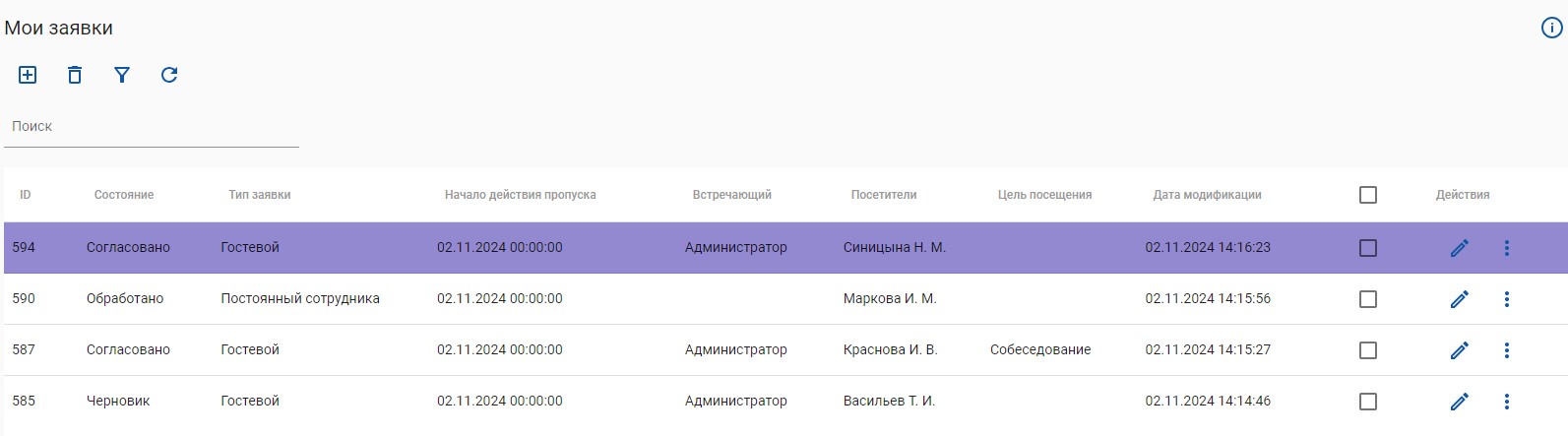
> Рассмотрим пример. Если стоит чек-бокс в Дополнительном поле 1, то поле с данной заявкой будет выделено цветом.

```json5
{
  "condition": {
    "fieldId": "boolAddField1",
    "type": "eq",
    "value": "true"    
  },
  "actions": [
    {
      "type": "setRowColor",
      "value": "#9289D0"
    }
  ]
}
```

<figure><img src="/files/IpHHzyHzPGdISmY7wsTD" alt=""><figcaption><p>Пример с условным трансформером</p></figcaption></figure>

где:

```jsonc
 {
  "condition": {
    "fieldId": "идентификатор",   // берём из «Открыть метаданные»
    "type":    "тип_условия",
    "value":   "значение" // или массив значений
```

**Где брать идентификаторы**

* При редактировании любого отчёта в правом верхнем углу (рядом со значком вызова справки) находится кнопка **«Открыть метаданные»**. Нажмите её — откроется полный список всех доступных полей и их идентификаторов, которые можно использовать.

**Поддерживаемые типы условий**

| `eq`                 | равно                | `"true"`               |
| -------------------- | -------------------- | ---------------------- |
| `greater`            | больше               | `10`                   |
| `less`               | меньше               | `5`                    |
| `lessOrEqual`        | меньше или равно     | `50`                   |
| `greaterOrEqual`     | больше или равно     | `20`                   |
| `in`                 | входит в массив      | `["vip", "сотрудник"]` |
| `isNullOrEmpty`      | поле пустое или null | `true`                 |
| `notNullAndNotEmpty` | поле заполнено       | `true`                 |

**Поддерживаемые типы действий**

| type           | Что делает                               |
| -------------- | ---------------------------------------- |
| `setRowColor`  | Меняет цвет фона **всей строки**         |
| `setTextColor` | Меняет цвет **текста**                   |
| `setValue`     | Полностью **заменяет** значение в ячейке |

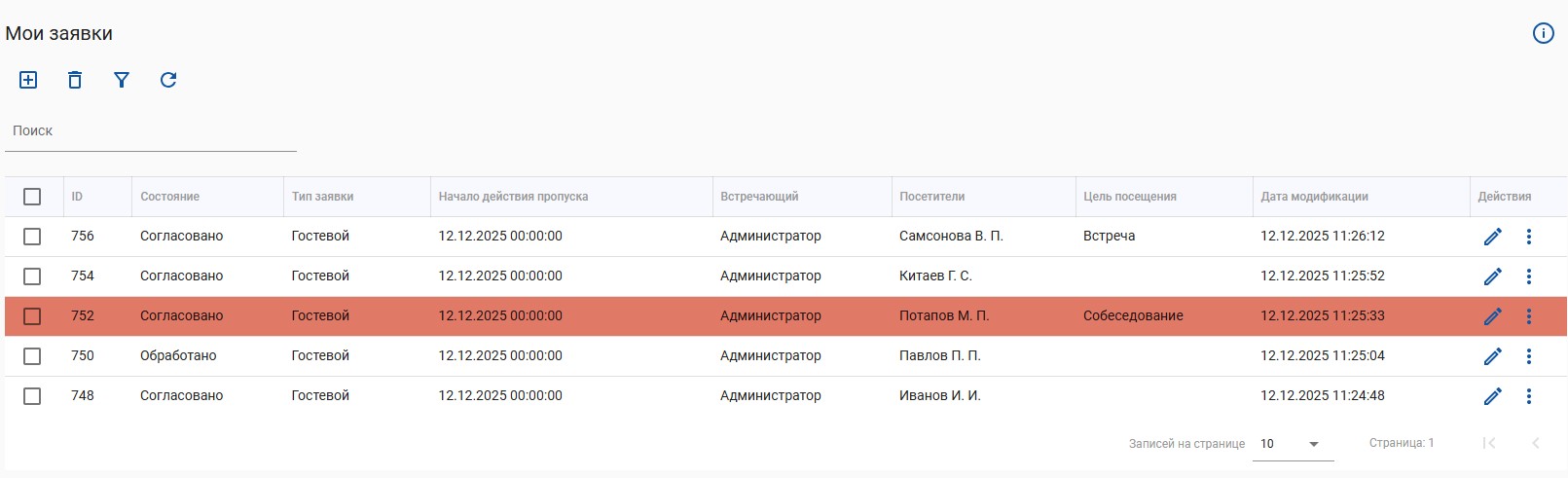
> В следующем примере цветом будут выделены иностранные граждане.

```json
{   
  "condition": {     
    "fieldId": "visitors.isForeignCitizen",
    "type": "eq",     
    "value": "true"   
  },   
  "actions": [     
    {       
      "type": "setRowColor",       
      "value": "#E17967"     
    }  
   ] 
 }
```

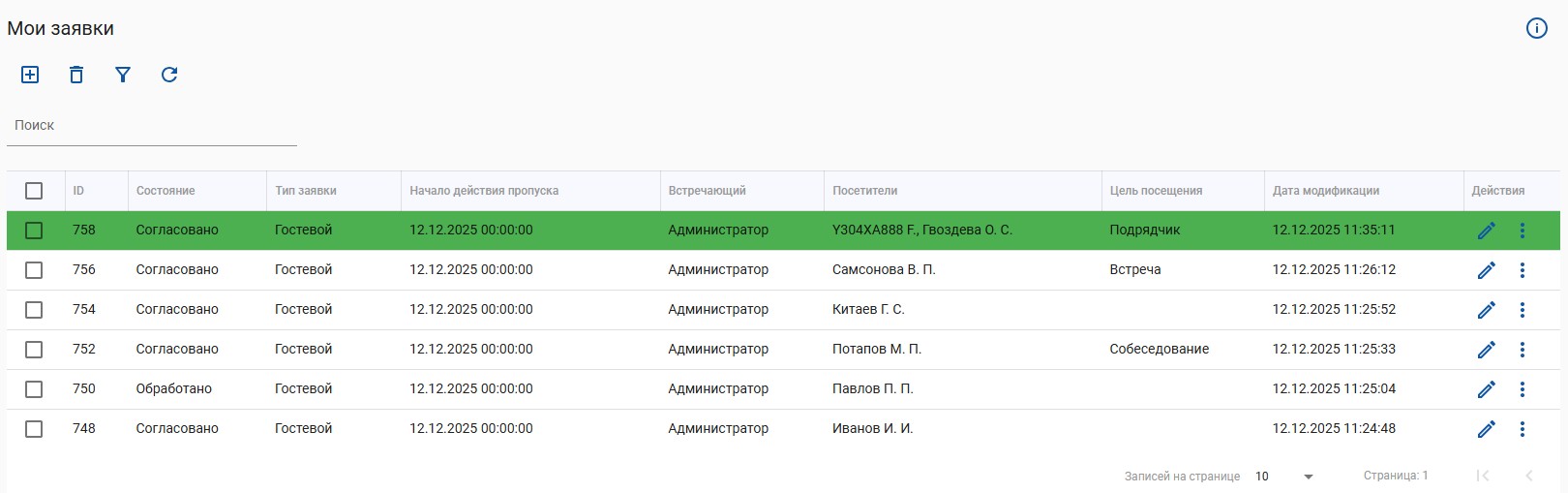
> Пример конфигурации, если необходимо подсвечивать заявки, где посещение длится больше двух дней

```json
{
  "condition": {
    "expression": {
      "fieldId1": "deactivateDateTime",
      "fieldId2": "activateDateTime",
      "operator": "minus"
    },
    "type": "greater",
    "value": "2"
  },
  "actions": [
    {
      "type": "setRowColor",
      "value": "#E17967"
    }
  ]
}
```

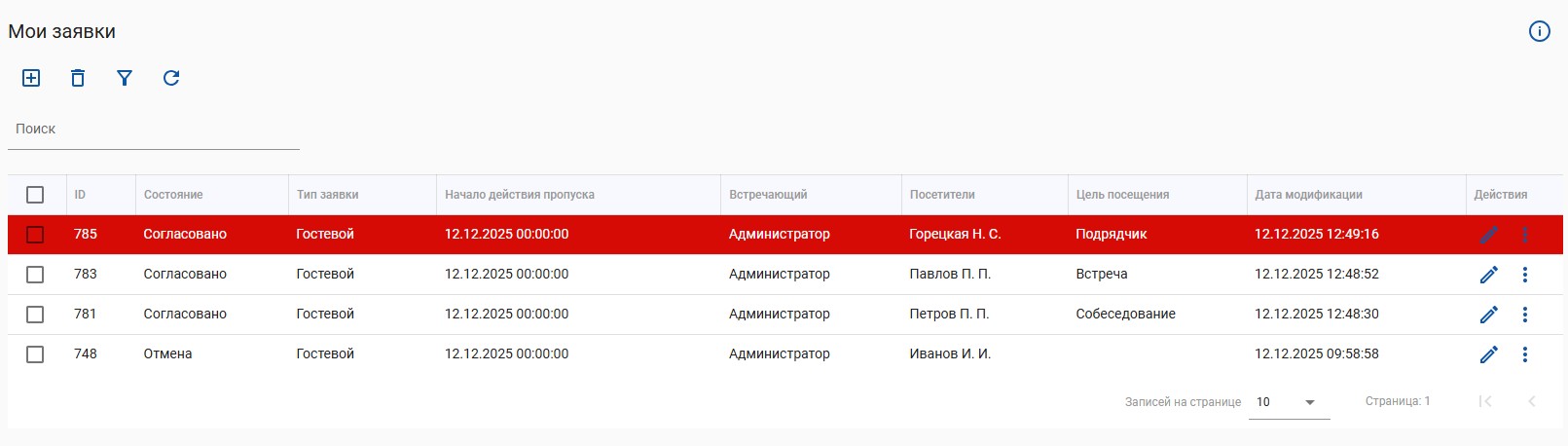
> Пример, позволяющий изменить цвет фона строки и цвет текста в зависимости от условия.

```json
{
    "condition": {
        "fieldId": "dictAddField1.id",
        "type": "eq",
        "value": "426"
    },
    "actions": [
        {
            "type": "setRowColor",
            "value": "#D70B06"
        },
        {
            "type": "setTextColor",
            "value": "#fff"
        }
    ]
}
```


---

# Agent Instructions
This documentation is published with GitBook. GitBook is the documentation platform designed so that both humans and AI agents can read, navigate, and reason over technical content effectively. Learn more at gitbook.com.

## Querying This Documentation
If you need additional information that is not directly available in this page, you can query the documentation dynamically by asking a question.

Perform an HTTP GET request on the current page URL with the `ask` query parameter, and the optional `goal` query parameter:

```
GET https://docs.aamsystems.ru/passoffice/passoffice-guide/admin-guide-doc/konfigurirovanie/form/otchety/transformery.md?ask=<question>&goal=<endgoal>
```

`ask` is the immediate question: it should be specific, self-contained, and written in natural language.
`goal` is optional and describes the broader end goal you are ultimately trying to accomplish on behalf of the user. GitBook uses it to tailor the answer towards what is most useful for that goal.

The response will contain a direct answer to the question and relevant excerpts and sources from the documentation.

Use this mechanism when the answer is not explicitly present in the current page, you need clarification or additional context, or you want to retrieve related documentation sections.
